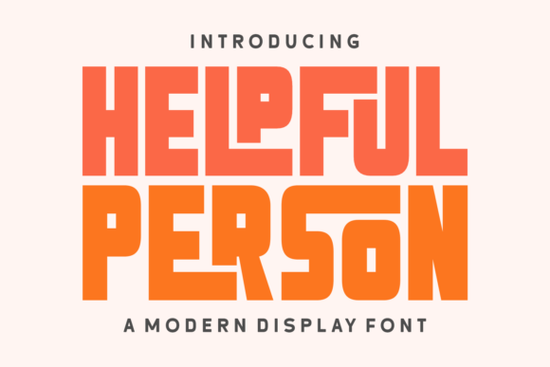
If you are looking for a typeface that brings a warm, nostalgic feel to your holiday projects or vintage branding, the Helpful Person Font is a great choice. This retro display typeface captures the charm of the 1970s by mixing chunky block letters with smooth, gentle curves. It is specifically built for designers, crafters, and small business owners who want their headers and titles to stand out without looking overly complicated.
What makes this typeface stand out for vintage projects?
The main appeal of this lettering style is its ability to balance bold structures with a playful, approachable feel. The chunky block shapes give it a strong presence, while the lighthearted ligatures and gentle curves soften the overall look. This combination makes it perfect for creating designs that feel both impactful and welcoming.
For print-on-demand sellers and crafters, this means you can create vintage clothing labels, retro posters, and nostalgic packaging that immediately catches the eye. If you enjoy this specific 70s aesthetic, you might also want to explore other retro typefaces with a schoolyard vibe to build a cohesive collection of nostalgic assets for your shop.
Where can I use this font in my design work?
Because it is engineered as a display typeface, it works best for shorter text blocks where readability and visual impact are key. It is also a fantastic choice for social media graphics where you need a bold hook to stop people from scrolling past your content. You will get the best results when using it for:
- Holiday branding: It brings a cozy, vintage warmth to Christmas cards and Thanksgiving menus.
- Logotypes and packaging: The unique magnetism of the letterforms helps small businesses create memorable product labels.
- Editorial layouts: It adds a dash of modern vibrancy to magazine headers and article titles.
When the seasons change and you need to update your merchandise, you can easily swap this out for bold summer lettering to keep your product lines fresh and relevant throughout the year.
Is it easy to use with standard design software?
Yes, one of the most practical aspects of this typeface is its user-friendly setup. It features full PUA (Private Use Area) encoding. For those who might not be familiar with the term, PUA encoding simply means that all the special glyphs, swashes, and ligatures are easily accessible through your standard design software.
You do not need to memorize complex keyboard shortcuts to access the alternate characters. This saves you a massive amount of time during the design process, allowing you to focus on the overall layout and color palette instead of hunting for specific characters. Whether you are using Adobe Illustrator, Canva, or Silhouette Studio, the extra decorative elements are right at your fingertips. Many users who appreciate this level of accessibility also enjoy working with fresh citrus-inspired lettering for their beverage branding and summer event posters.
How does it compare to other seasonal display options?
While many holiday fonts lean heavily into traditional scripts or overly ornate decorations, this typeface takes a different route. It relies on structural weight and retro charm rather than excessive embellishments. This structural approach ensures that your designs remain legible even when printed on smaller items like stickers or tags.
This makes it highly versatile. You can use it for a winter holiday campaign and then repurpose the same font for a retro diner menu or a vintage music festival poster. Of course, having a variety of styles in your toolkit is always a good idea. When you need something that screams warm weather and vacations, you might switch to endless sunshine typography to match the mood of your audience.
What are the best practices for styling this typeface?
To make sure your final designs look professional and polished, keep these practical steps in mind when working with this typeface:
- Limit your text length: Since it is a display font, keep it to headlines, short phrases, or single words to maintain readability.
- Play with tracking: Because the letters are quite chunky, slightly increasing the letter spacing can prevent the text from looking too crowded.
- Use the ligatures: Take advantage of the PUA encoded swashes to add a custom, hand-drawn feel to your logos.
- Pair with simple sans-serifs: Balance the bold headers with a clean, minimal body font to let the main title shine.
As your next step, take a few minutes to review the official product page to see how other creators have applied these styling tips in their own work before you start your next project.
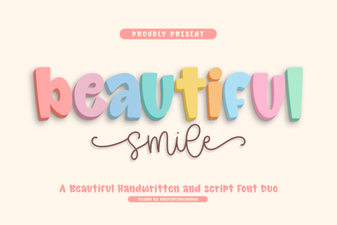 Download Beautiful Smile Fonts for Creative Designs
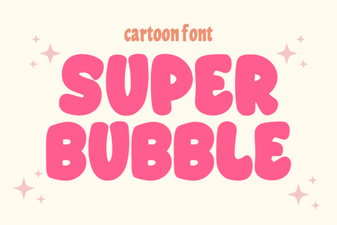 Super Bubble Font Design Inspiration & Free Templates
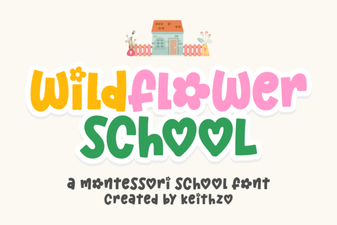 Crafting with the Wildflower School Font Toolkit
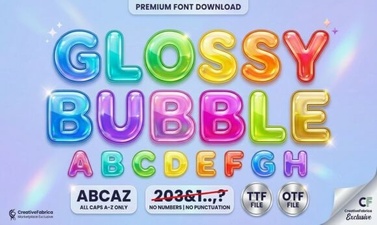 Craft Projects with a Glossy Bubble Font
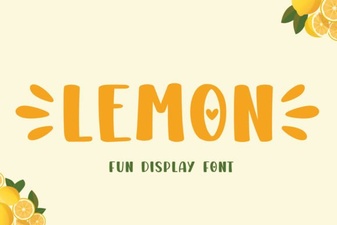 Lemon Font: Fresh Typography for Creative Projects
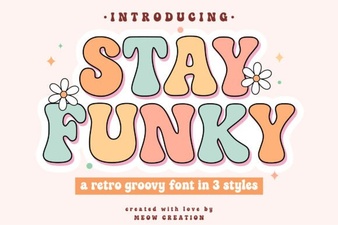 Funky Fonts: Tips for Creative & Usable Design